

Add Your Client
Gather contact information and intake details in one organized client profile.
- Client Management Tool -
Client details, session notes, and follow-up.
Less admin. More time for your clients.
An organizational tool for energy practitioners, not a medical service. It does not diagnose, treat, cure, or prevent medical or mental health conditions.
Give the details a home.
Keep each client's history, session notes, and recommendations together.
Client Records
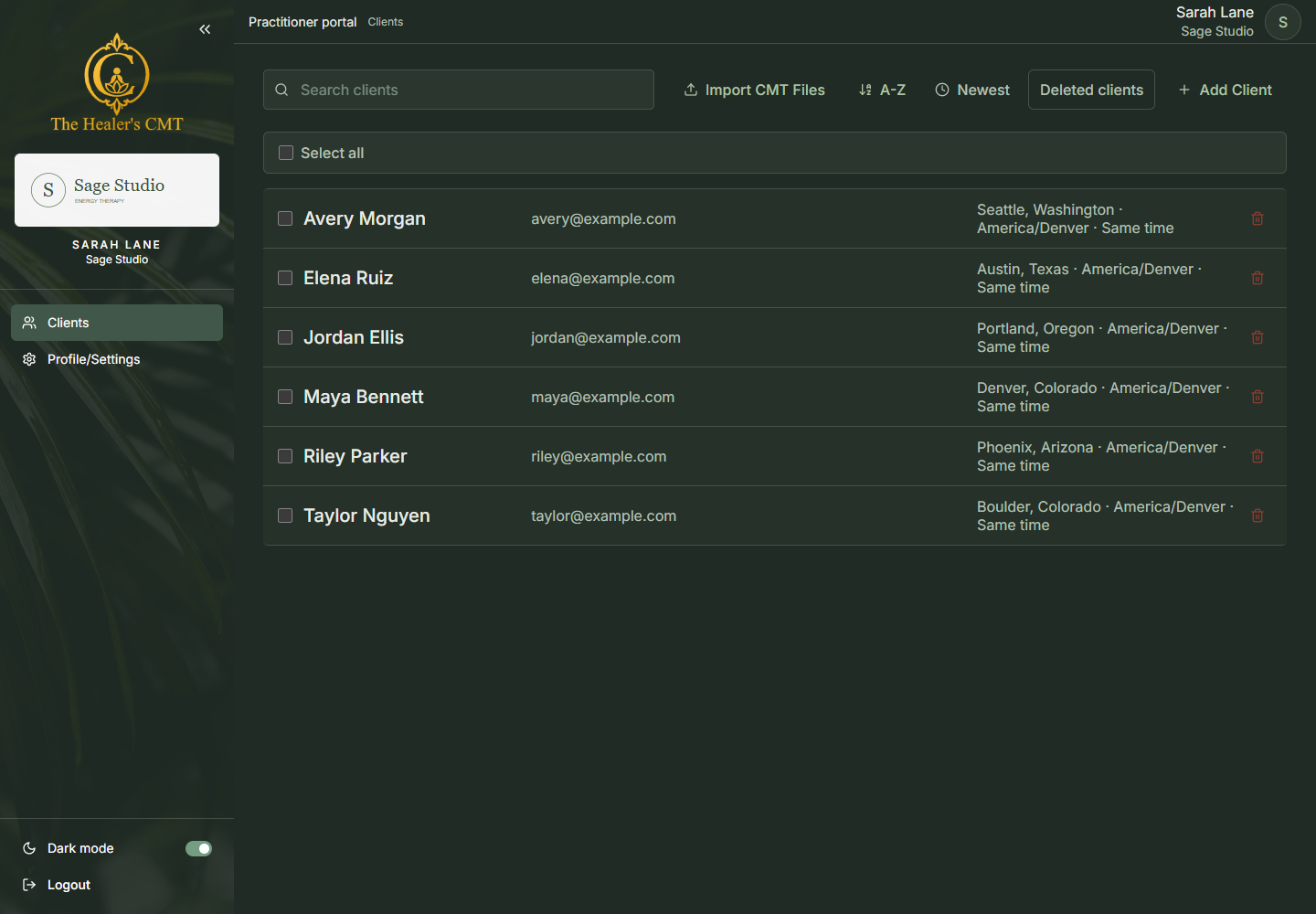
Find a client, review their intake, and pick up where you left off.
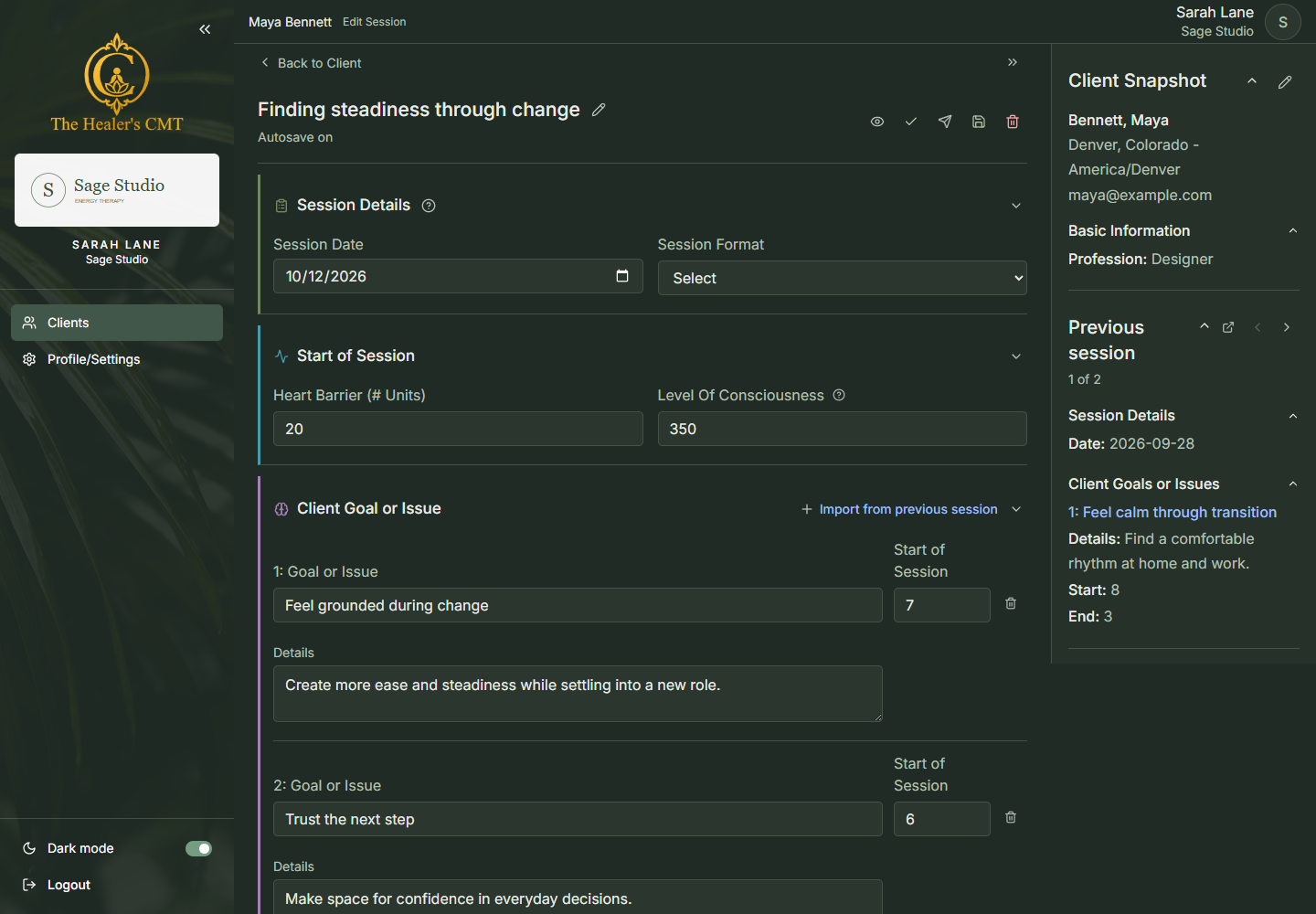
Session Notes
Record goals, emotions, and associations with the previous session right beside you.
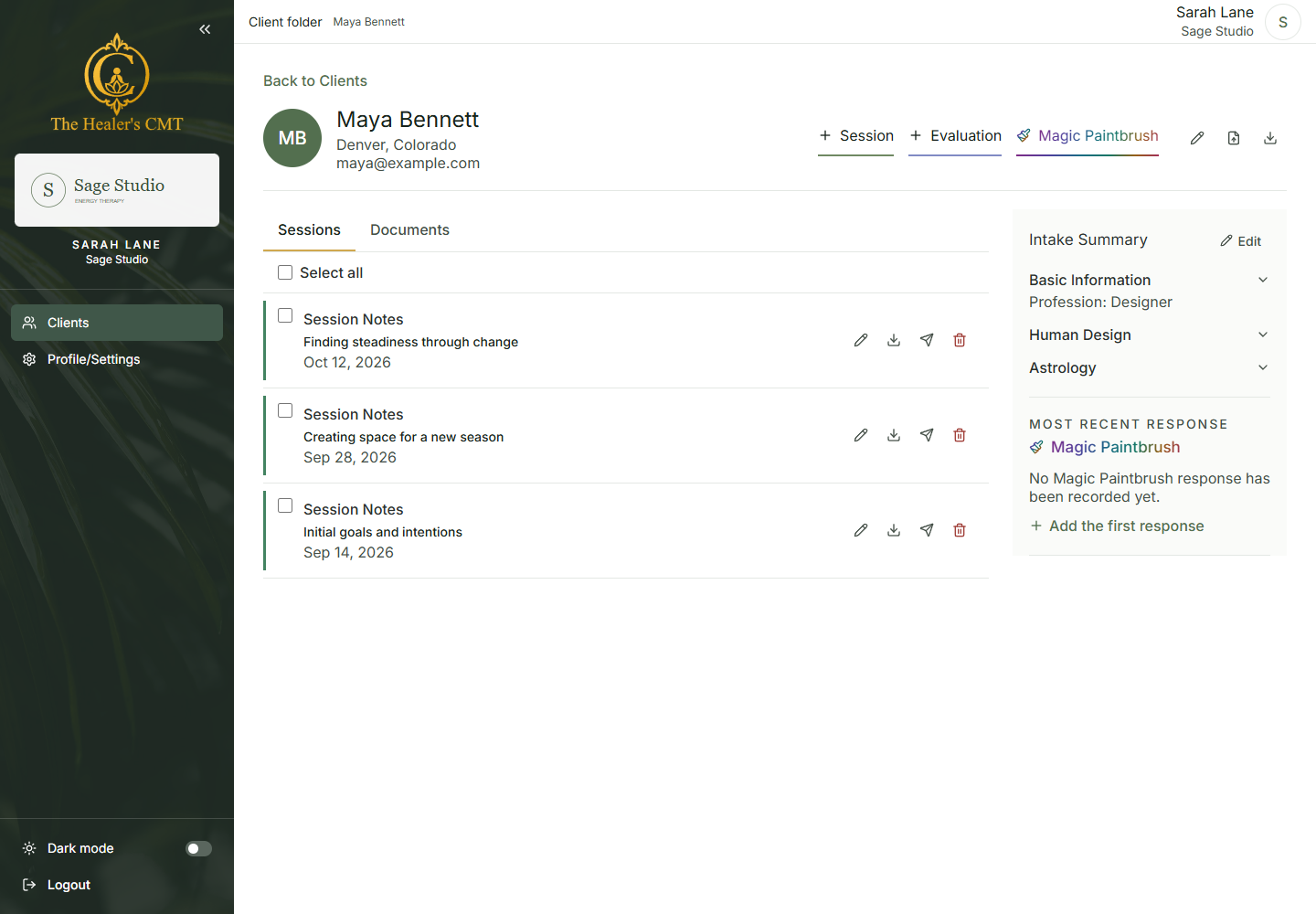
Client Follow-Up
Preview a PDF with your practice's branding and email it directly to your client.
Not suitable for insurance claims. Session PDFs are not insurance billing documents or proof of medical necessity. Review recipients and obtain appropriate client consent before emailing notes.
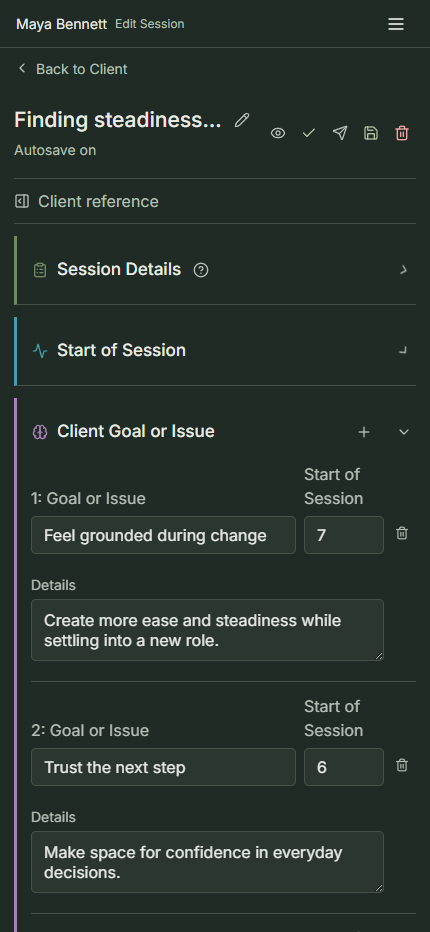
On Your Phone
Review a client's goals or update session details from your phone.
Gather contact information and intake details in one organized client profile.

Capture goals, session notes, and recommendations with previous-session details close by.

Review your branded session PDF, then email it to your client for their next steps.
Pricing
Easy session notes. Everything in one place.
Then choose monthly or annual billing.
Billed monthly
$15.99 / mo
Billed yearly
$175 / yr
Save $16.88 with annual billing compared with 12 monthly payments. That's a month free!
Get StartedAlready a practitioner? Sign in
Taking the SBT certification course? Your first year is included at no additional cost.
A clear start for your practice.
Energy practitioners who want to keep client records, session notes, and follow-up together.
Contact us to get started with a one-month free trial. After your trial, choose $15.99 per month or $175 billed annually. Your first year is included at no additional cost when you take the SBT certification course.
No. The CMT is for organizing energy-practice notes, not insurance claims or medical billing. Do not assume it meets HIPAA or regulated medical-record requirements. Confirm suitability for your practice before entering regulated health information.
Yes. Capture notes as you work, use keyboard navigation, and reference the client's previous session without leaving the session workspace.
Yes. Preview your branded PDF and send it to your client from the session notes or client session list.
Give your client records a home. Give yourself more time for the work you love.
Practitioners remain responsible for client consent, record accuracy, privacy, and applicable professional requirements. No clinical, business, or time-saving results are guaranteed.